Development Environment
This guide will help you set up your development environment by installing required tools: Python programming language, GitHub for version control, and PyCharm IDE.
Python
- Install Python version 3.14.x or higher. Earlier versions may not be compatible with this course.
- Take some time to familiarize yourself with Python's new features.
GitHub
-
Create a GitHub account (if you do not already have one). As a student, you can get GitHub Pro features for free through the GitHub Student Developer Pack.
-
Login to GitHub.
-
Create a new repository named "nlp-essentials" and set its visibility to Private.
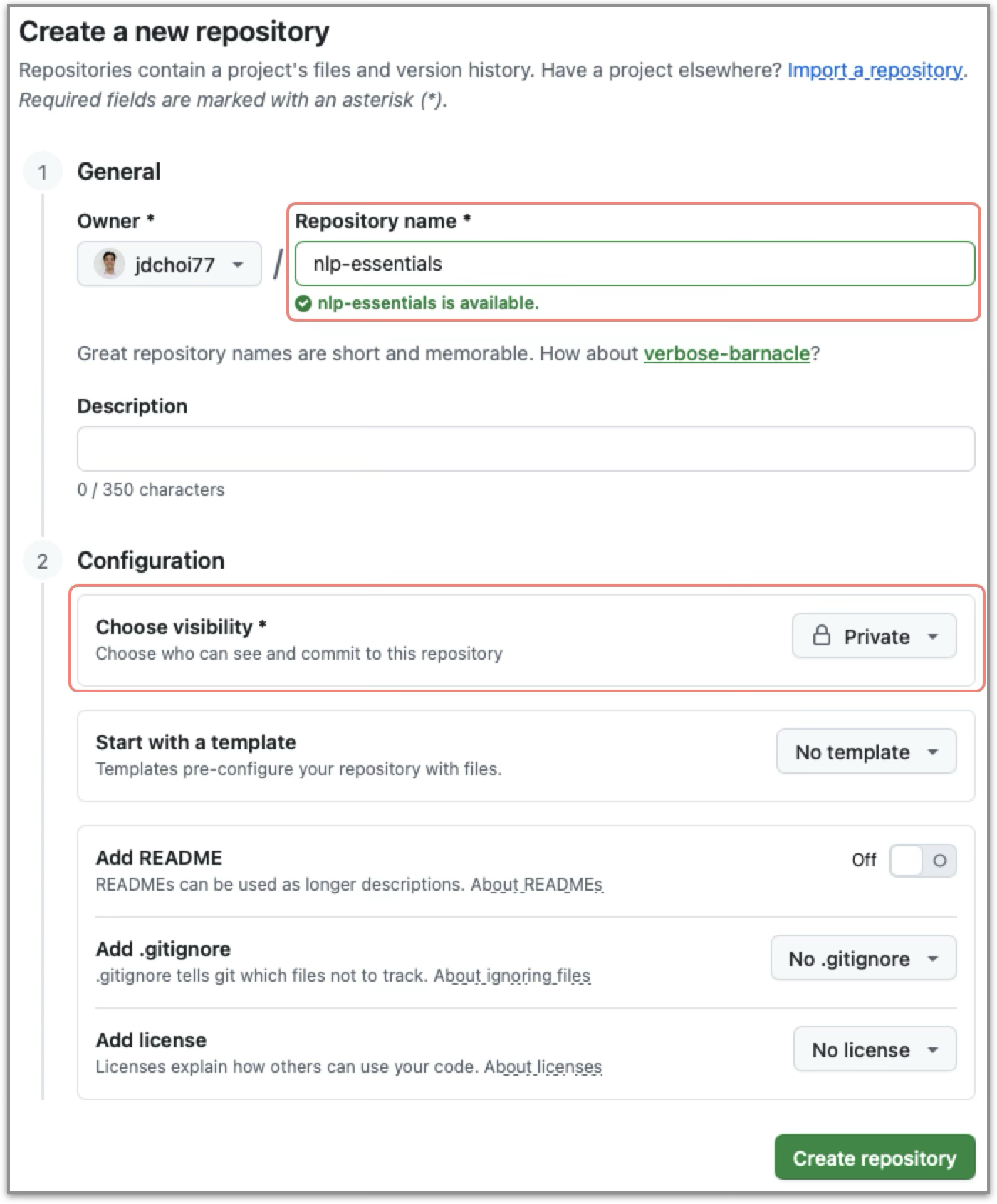
-
Go to
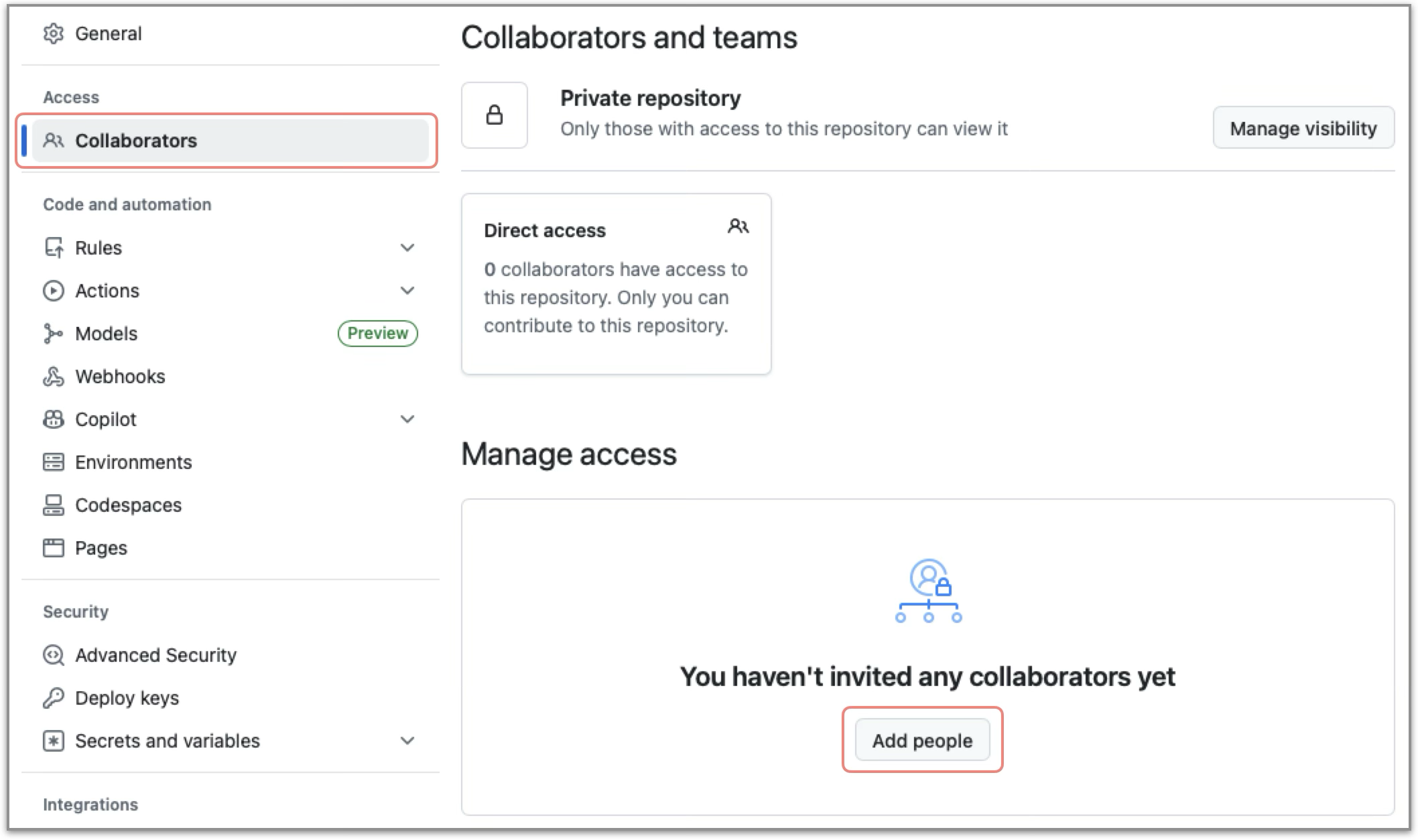
[Settings]in your repository, and select[Collaborators]. -
Click
[Add people], and add each instructor using their GitHub usernames:- Find their GitHub IDs in the "Instructors" section of the Syllabus.
- Enter each username and send the collaboration invitation.
-
Verify that all instructors have been added as collaborators.
PyCharm
-
Install PyCharm on your local machine:
- As a student, you can get PyCharm Pro for free by applying for a JetBrains Educational License.
- The following instructions are based on PyCharm 2025.3.x.
-
Configure your GitHub account:
-
Go to
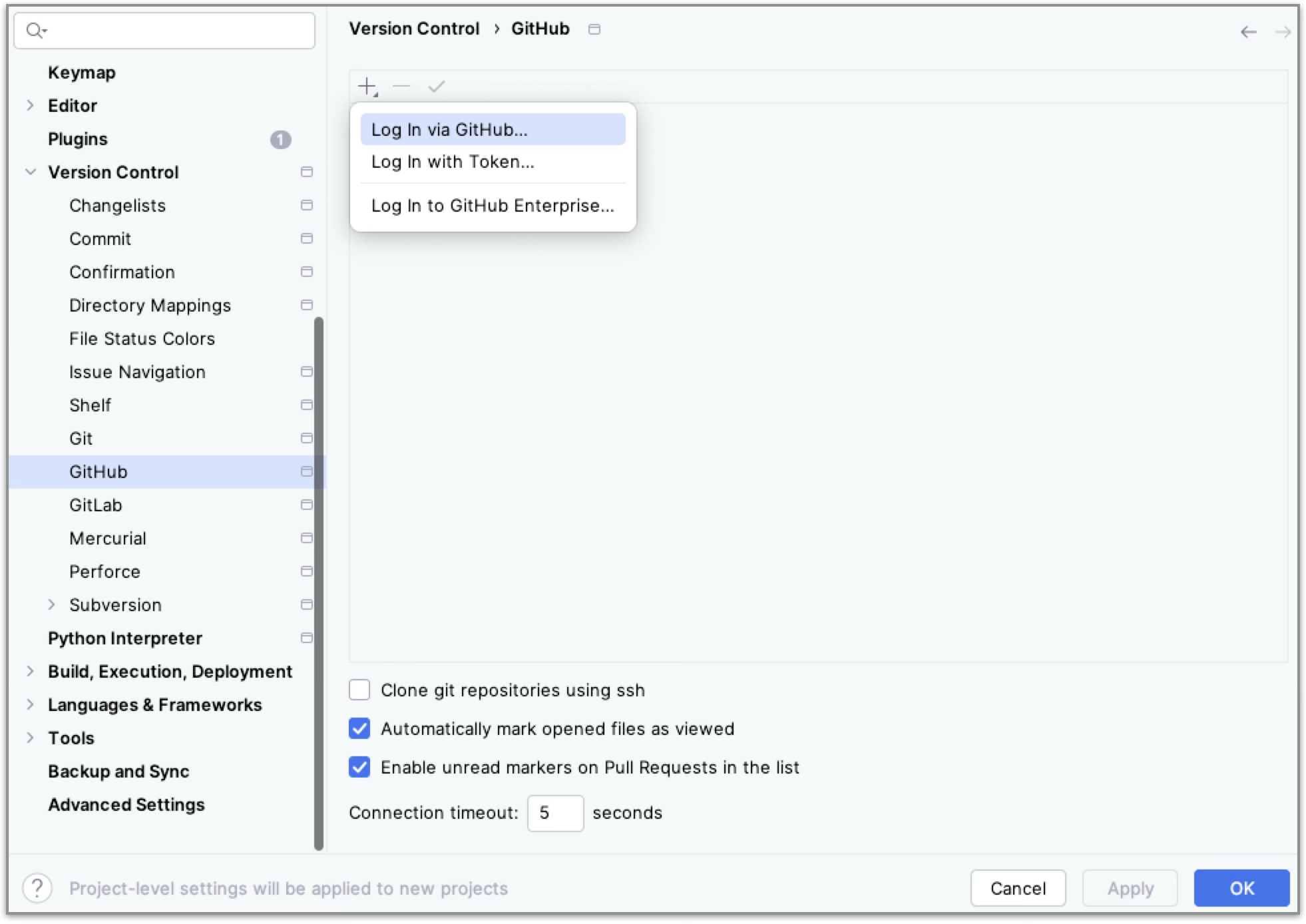
[Settings] > [Version Control] > [GitHub]. -
Press
[+], select[Log in via GitHub], and follow the browser prompts to authorize PyCharm with your GitHub account. -
Once connected, you will be able to access GitHub directly from PyCharm for version control operations.
-
-
Create a new PyCharm project from GitHub:
- On the initial screen, click
[Clone Repository]. - In the new window, select
[GitHub]from the left menu, choose your nlp-essentials repository, and click[Clone](verify the directory name is "nlp-essentials").
- On the initial screen, click
-
Set Up a Python virtual environment:
- Go to
[Settings] > [Python] > [Interpreter]. - Click
[Add Interpreter]and choose[Add Local Interpreter].
- Go to
-
In the prompted menu, choose
[Add Local Environment], configure as follows, then click[OK]: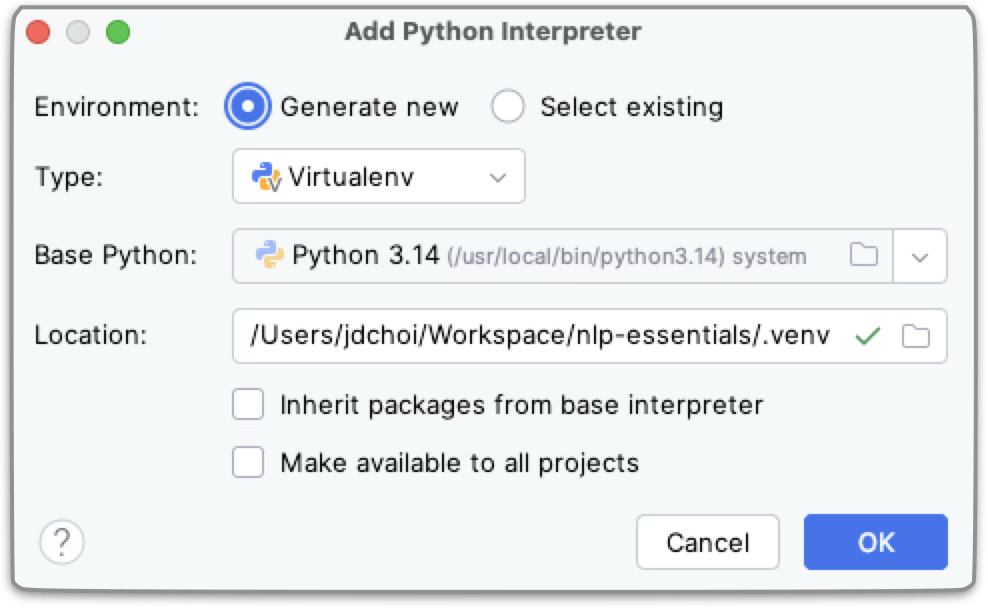
- Environment: Generate new
- Type: `Virtualenv
- Base python: the Python version you installed above
- Location: YOUR_LOCAL_PATH/nlp-essentials/.venv
References
- Git: a version control system for tracking changes in files.
- Virtualenv: a tool to create isolated Python environment.